Penggu — Tasks, Notes & Focus

Your work lives in the browser. Your workspace can too.

Penggu — your personal workspace companion, living right in your browser

Penggu is a personal productivity workspace for freelancers, VAs, developers, and anyone who lives in Chrome.

No account. No mandatory cloud. No tracking.
Penggu typing on a laptop beside a stack of task cards, a plant and a coffee mug, with the words Work better in your browser

A small penguin for a big pile of work

Your browser. A little more together.
CaptureOrganizeFocus
What it actually looks like

One tab. The whole workspace.

Boards, quick tasks, notes and the focus timer sit side by side — Penggu keeps count of it all in the Worknest. Hover the strip to pause and look around.
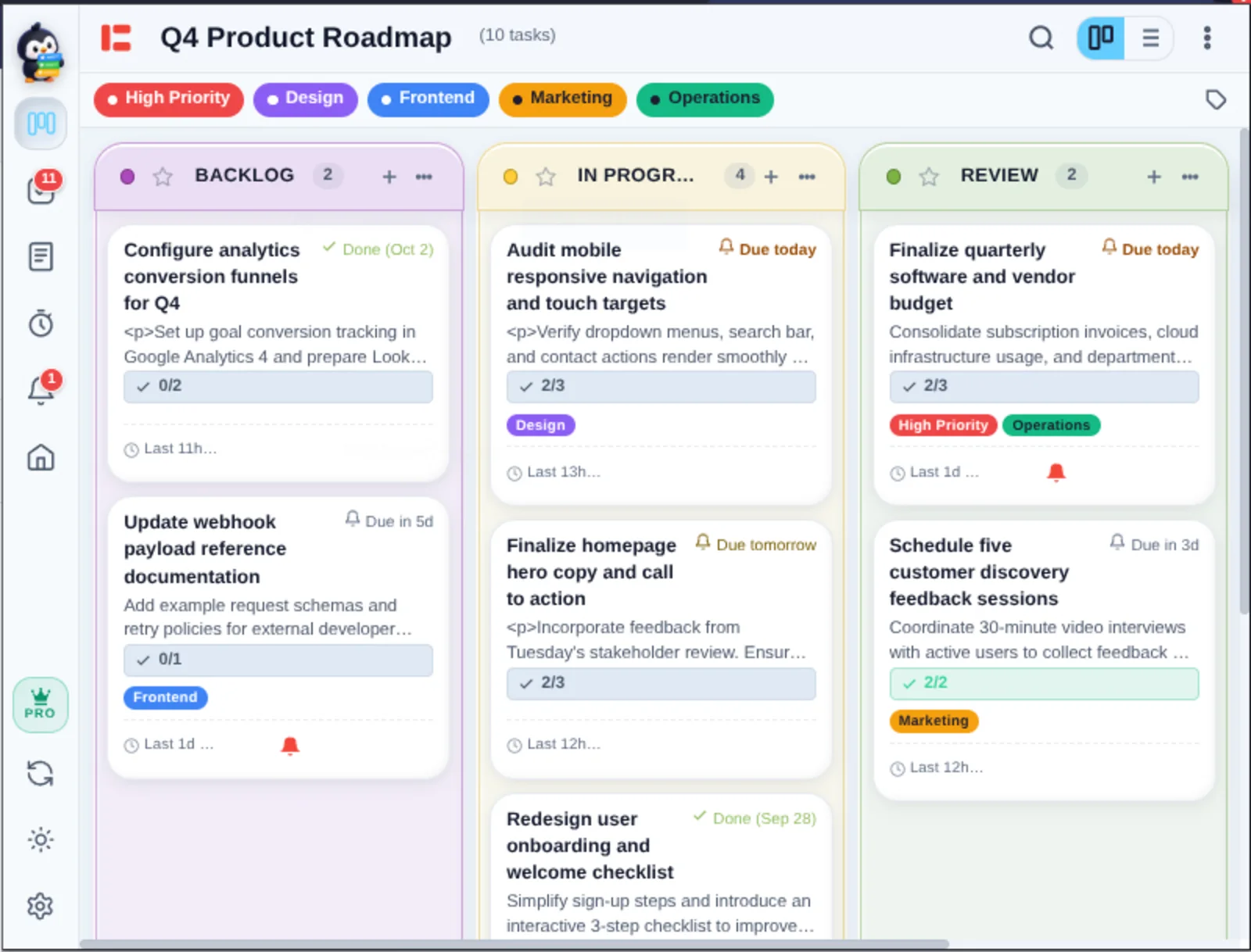
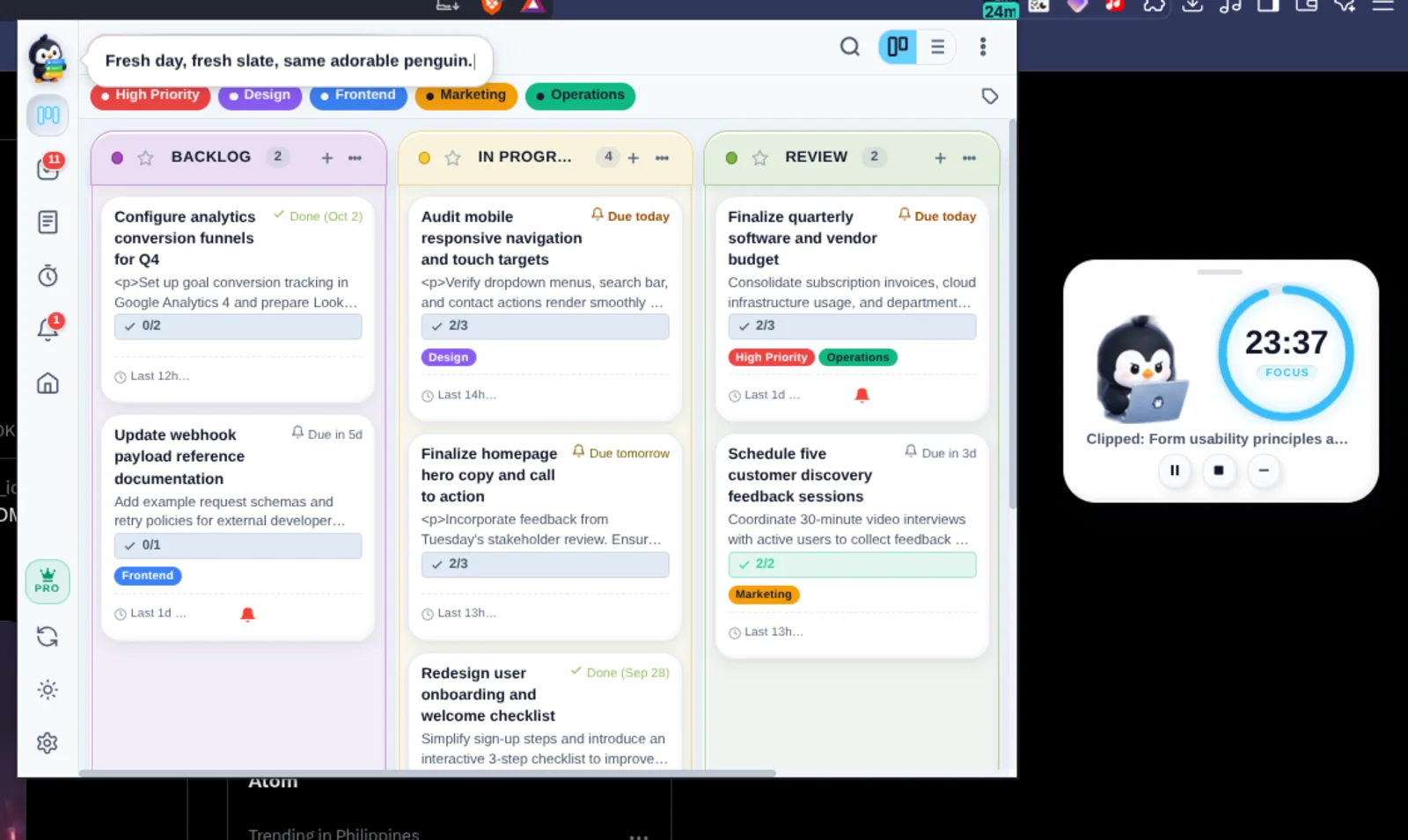
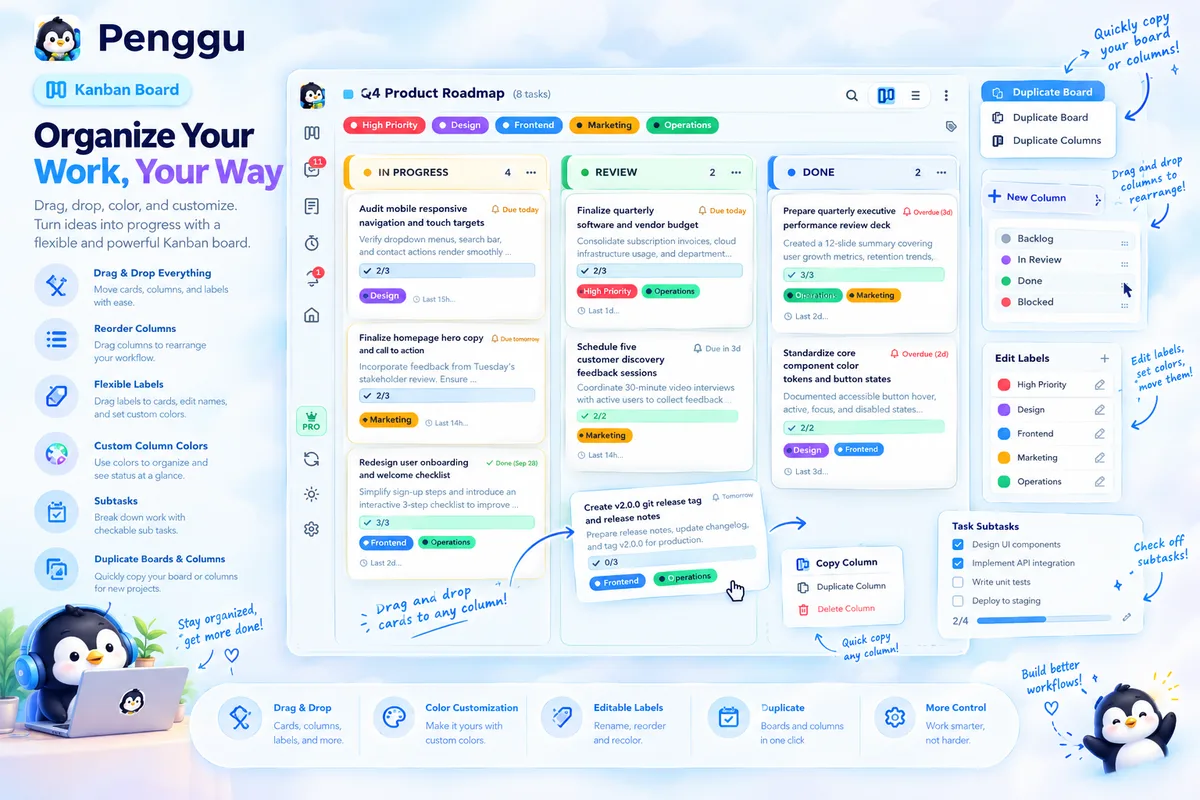
Penggu's kanban board inside the Chrome popup: three color-tinted columns — Backlog, In Progress and Review — filled with task cards carrying labels, checklists and reminders
Kanban Boards your work, laid out
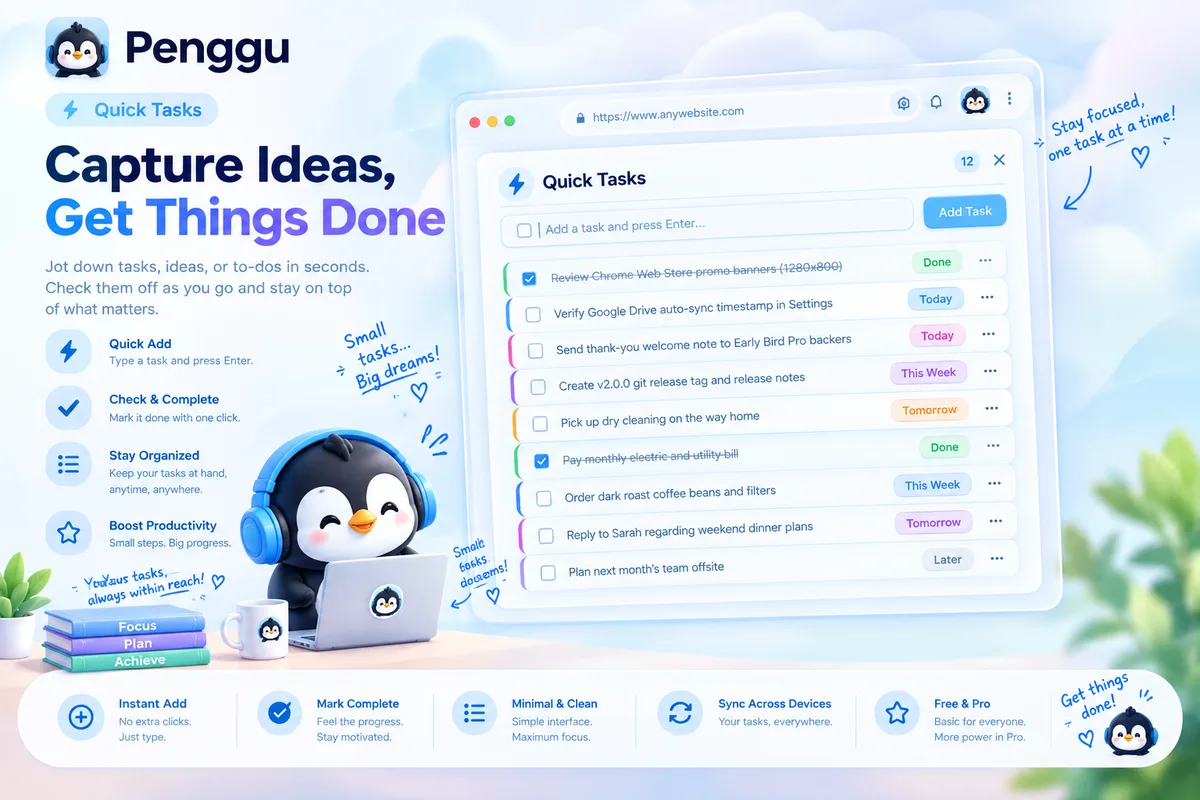
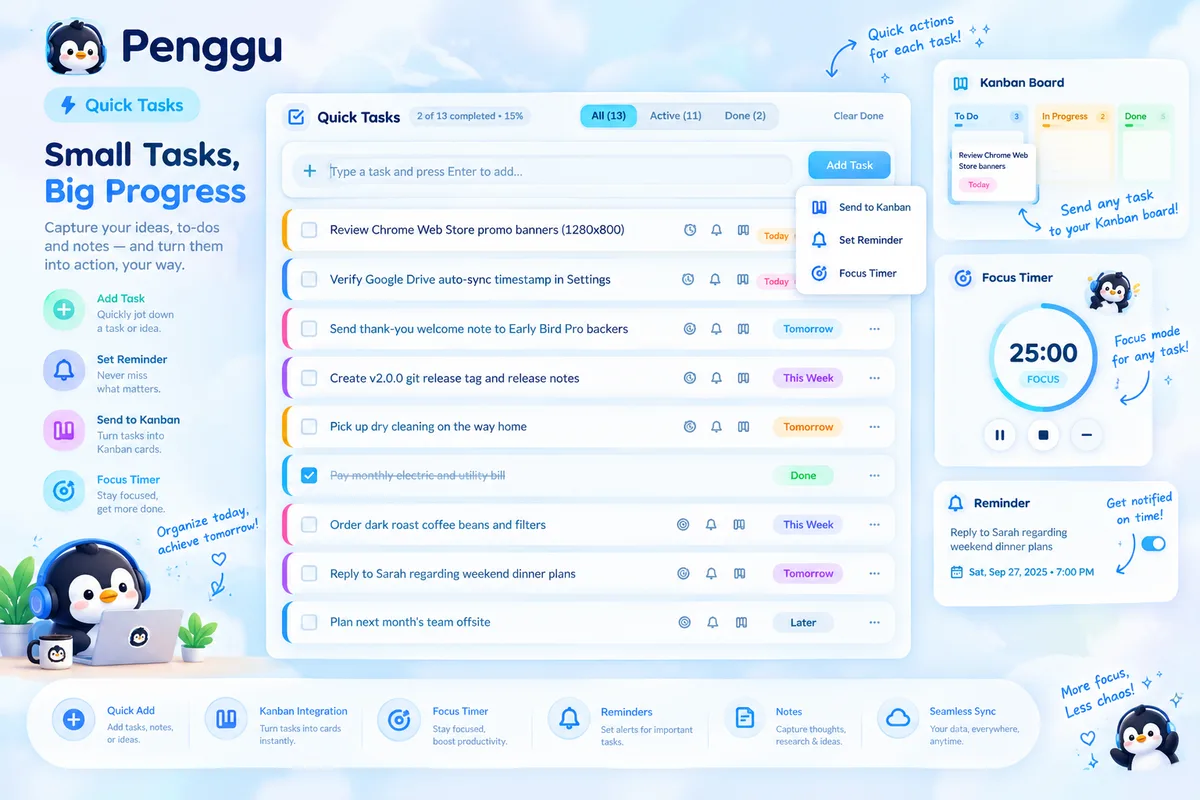
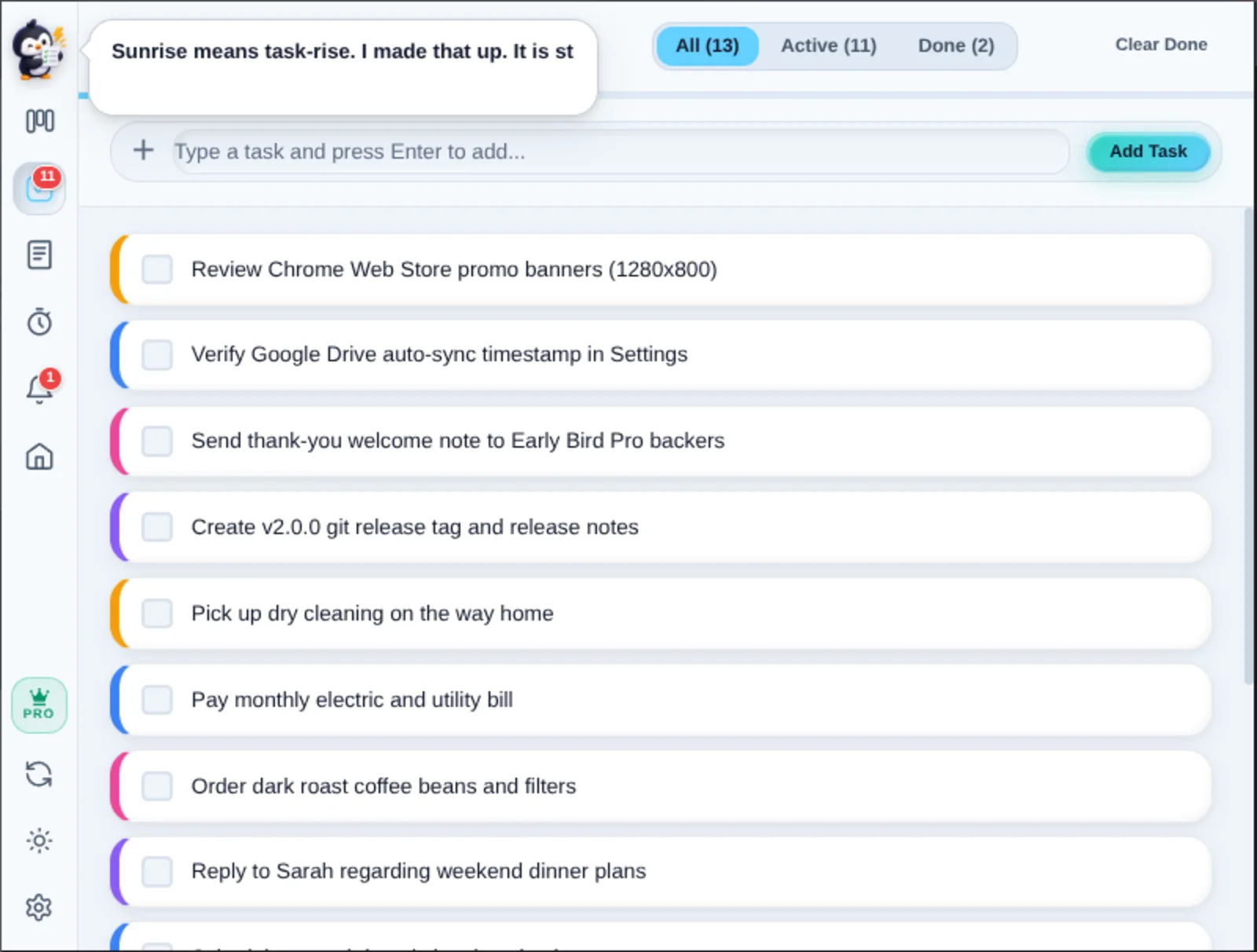
Penggu's Quick Tasks view with a colored stripe per task, instant checkboxes and an Add Task button
Quick Tasks the inbox that sorts itself
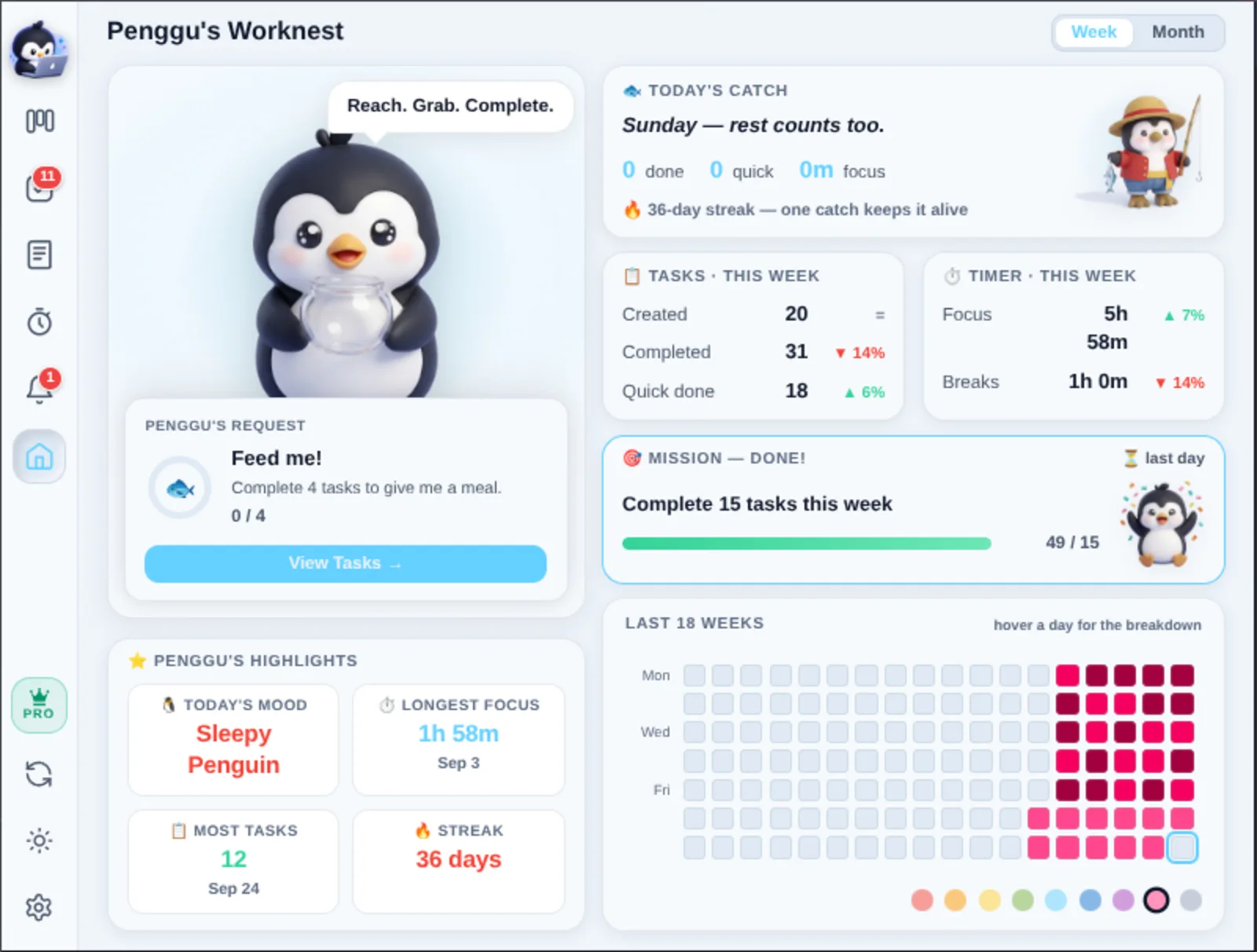
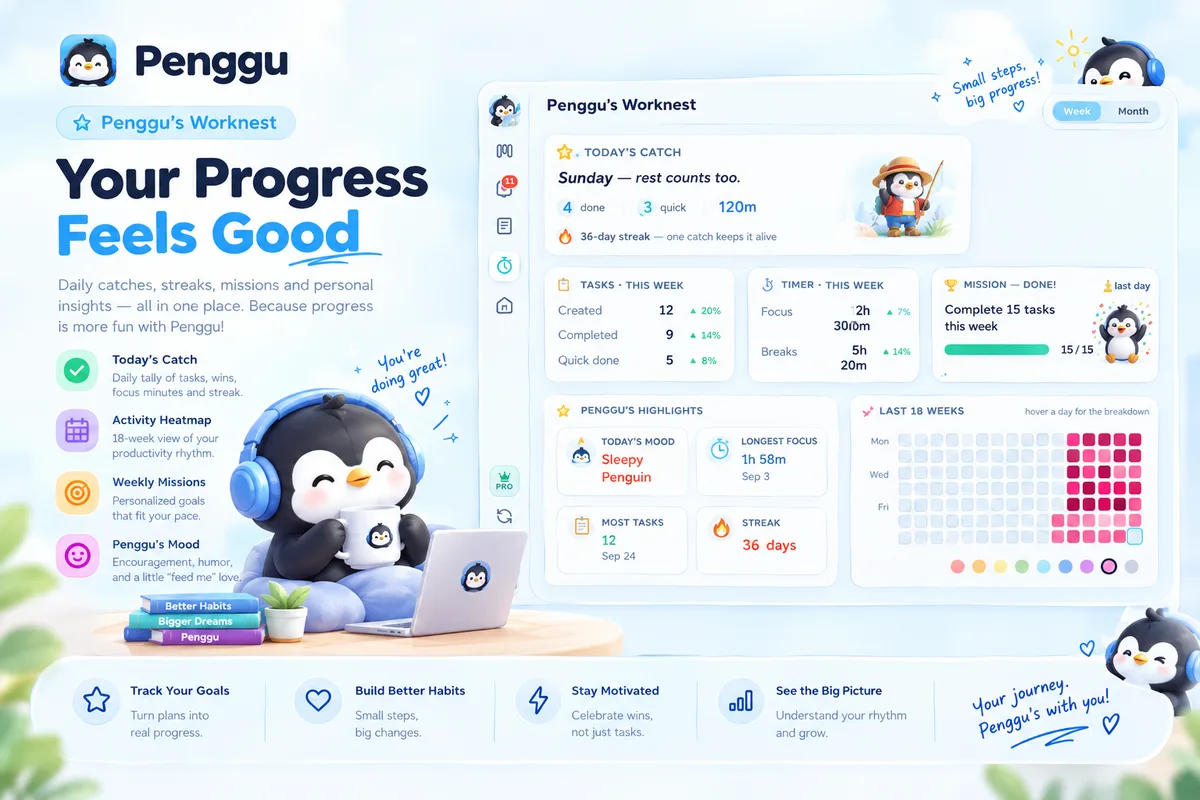
Penggu's Worknest dashboard: Today's Catch, weekly stats, a mission progress bar, streaks and an activity heatmap
Worknest your week, at a glance
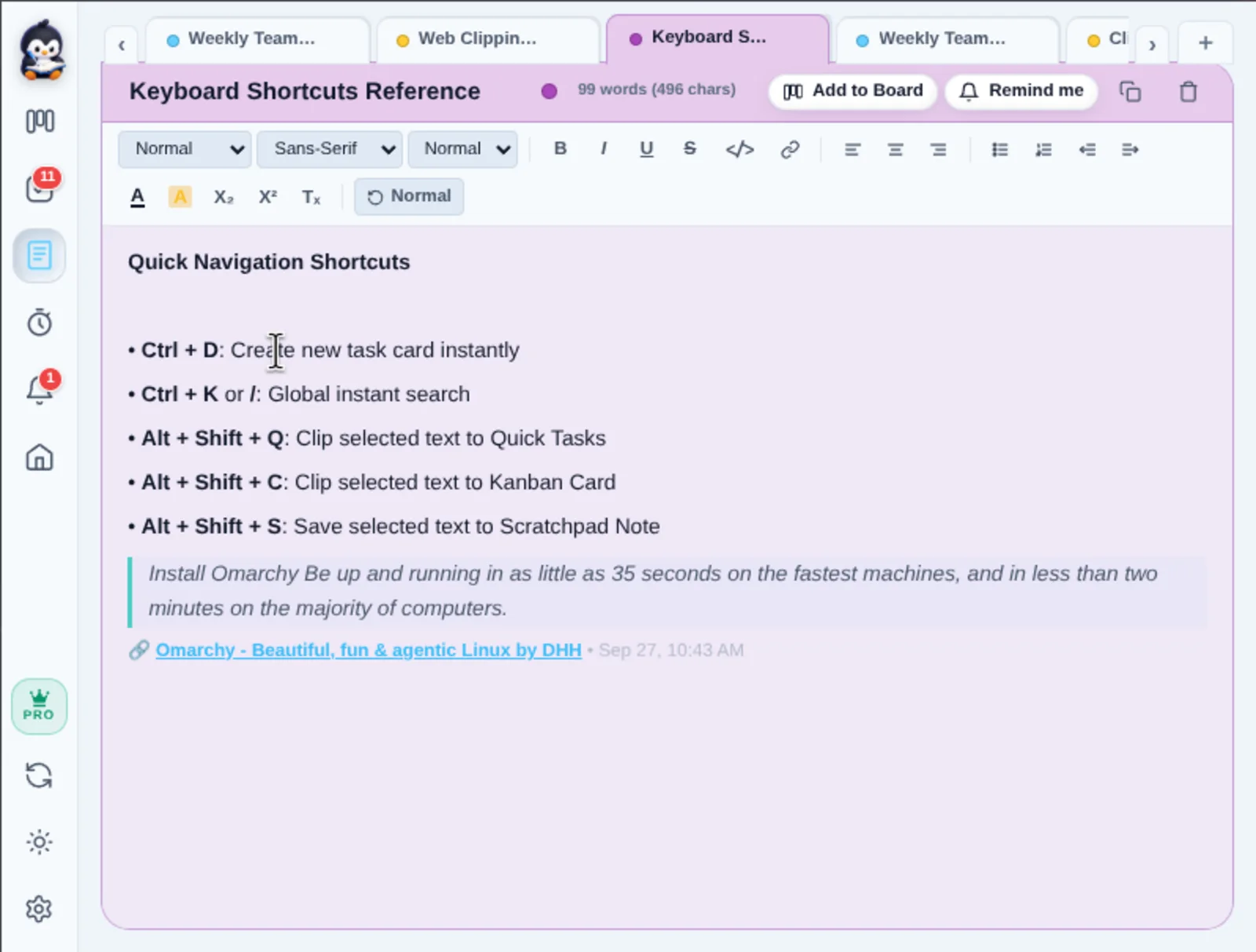
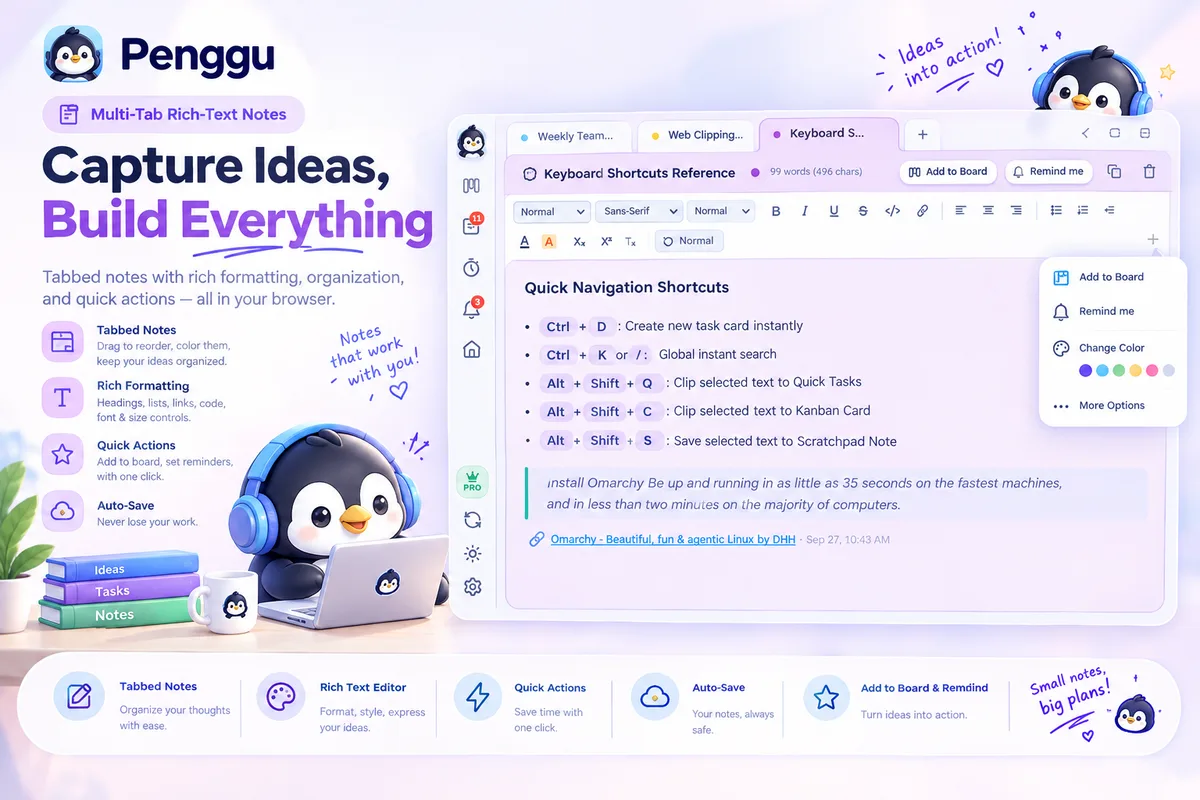
A rich-text note in Penggu's Notes view containing a clipped web quote with a source link and timestamp
Notes clip straight into context
Penggu's floating focus timer widget with the penguin mascot counting down over a webpage, beside the open popup board
Floating Timer focus that follows you
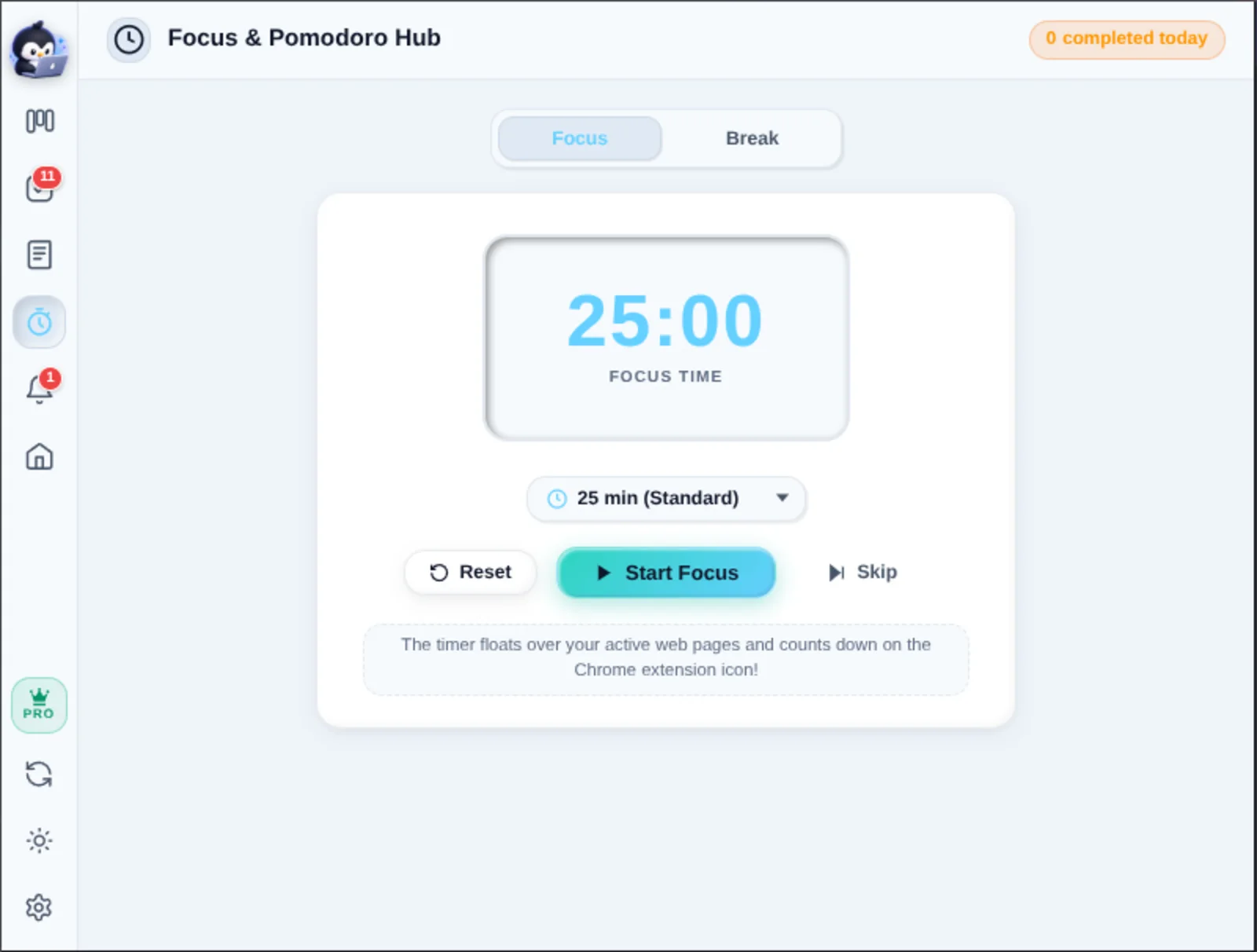
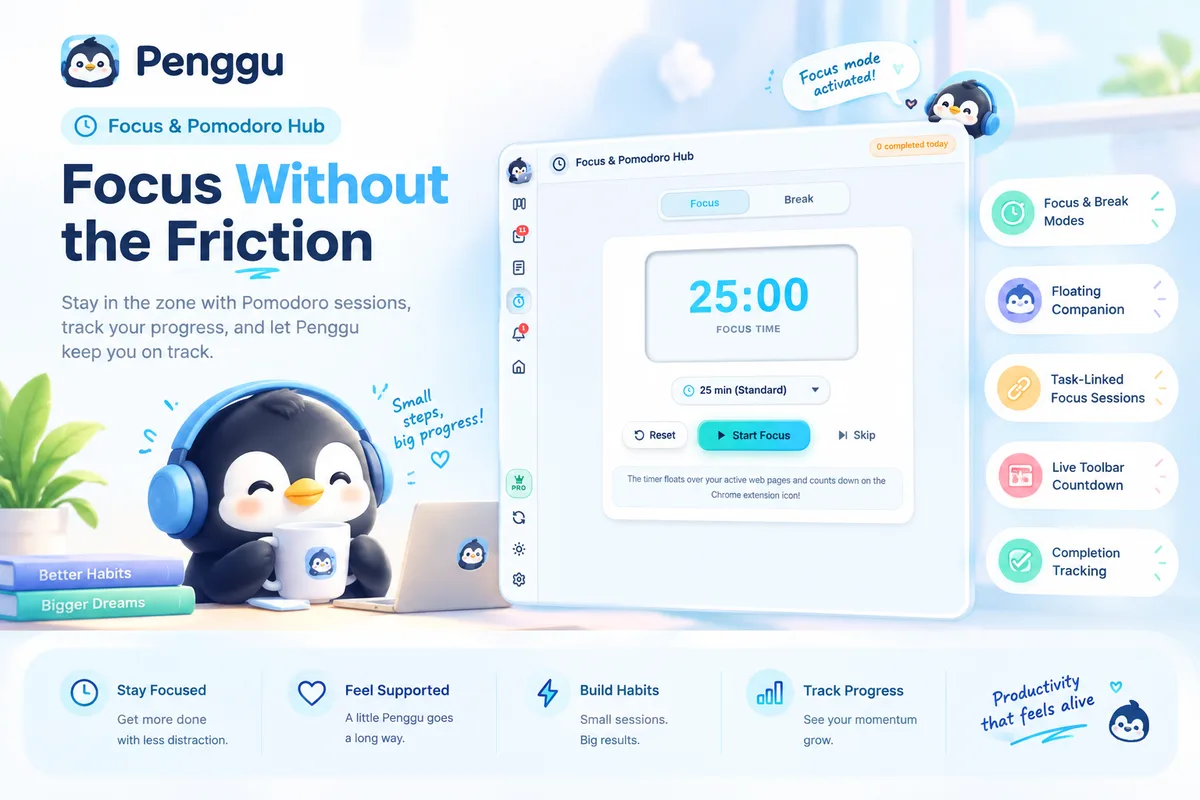
Penggu's Focus and Pomodoro hub with a large 25-minute timer and a Start Focus button
Focus Hub one clean room to work in
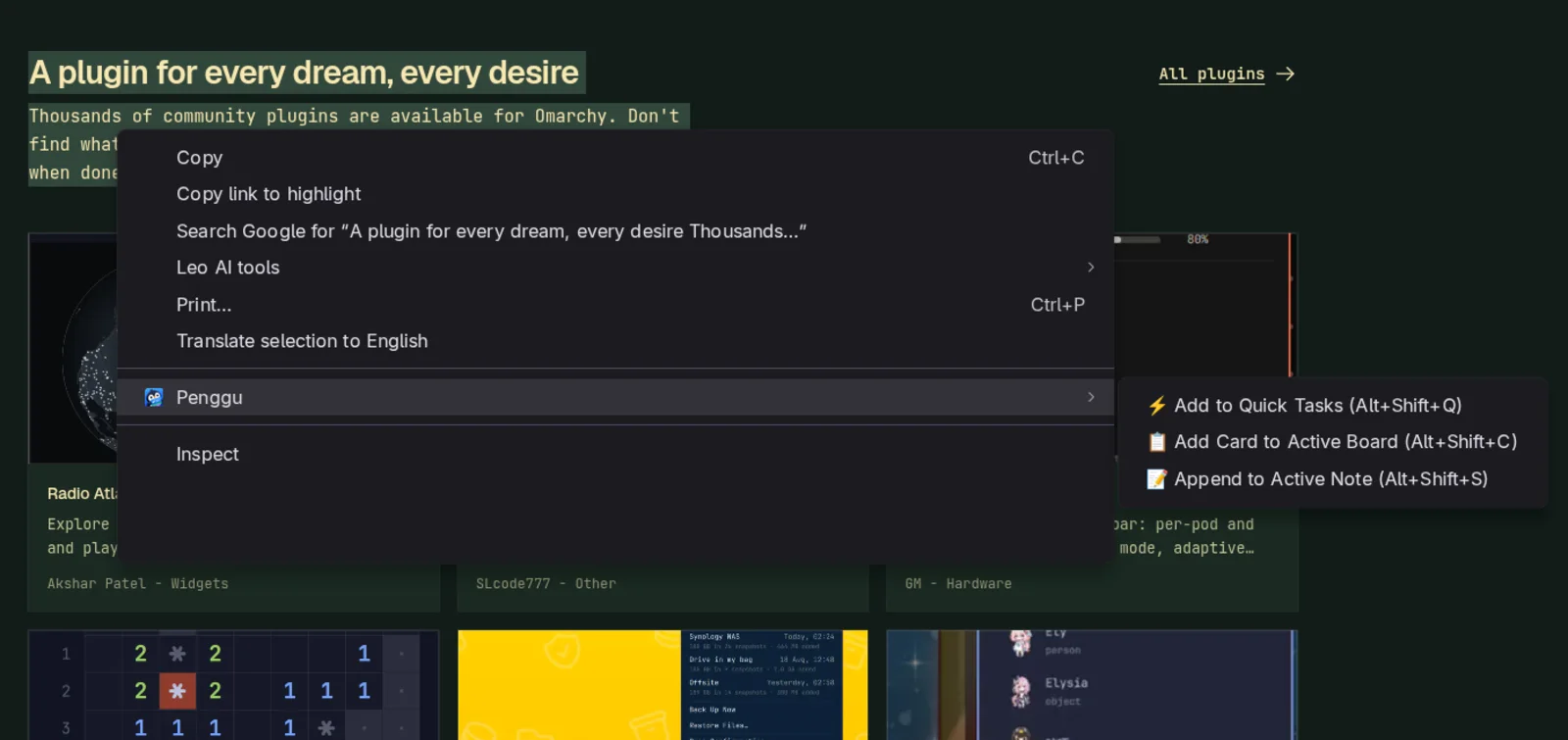
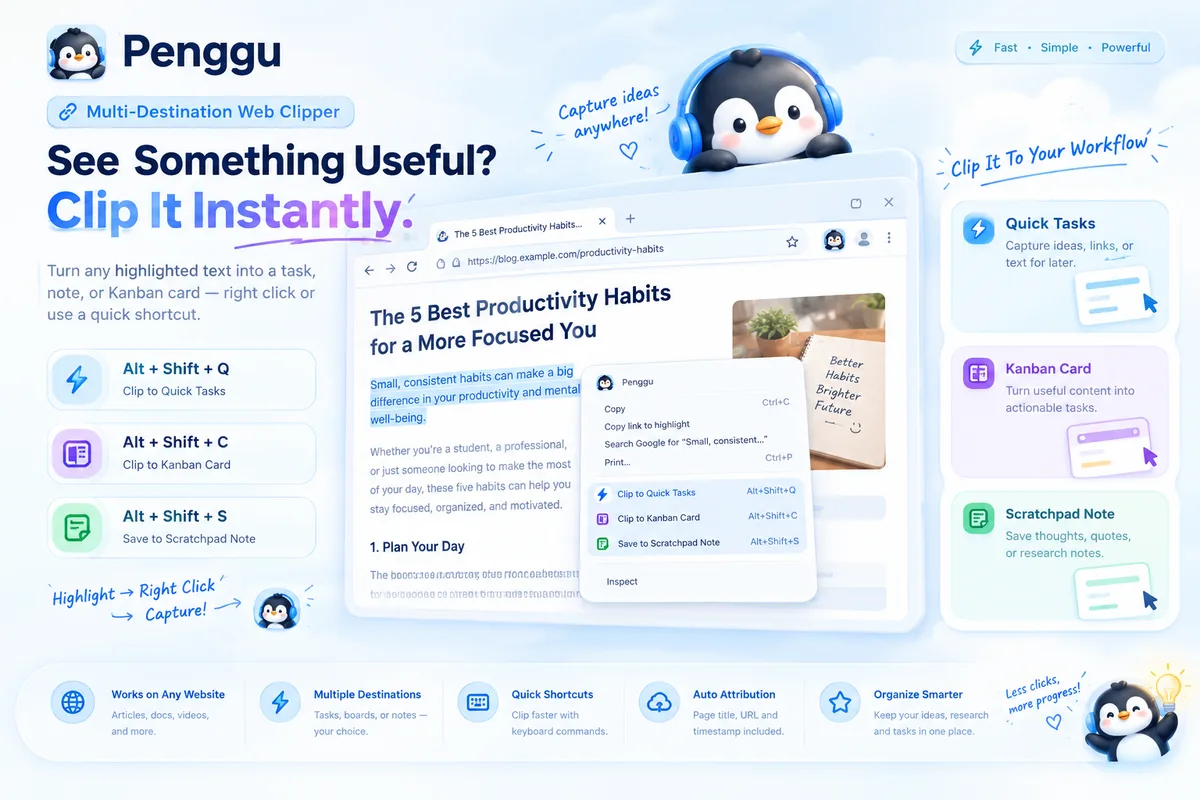
Chrome's right-click menu showing Penggu's clipper: Add to Quick Tasks, Add Card to Active Board, Append to Active Note
Web Clipper select, right-click, done
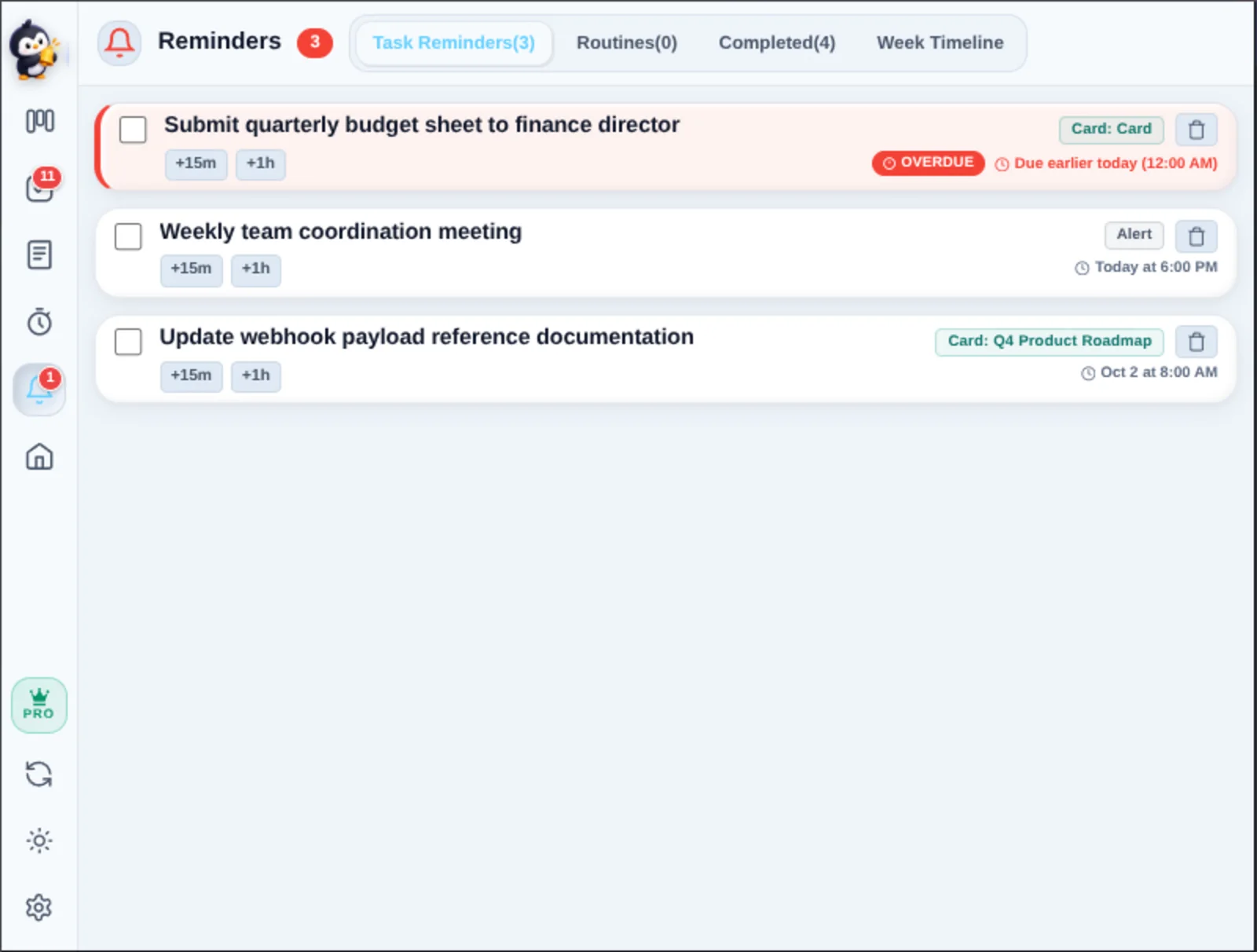
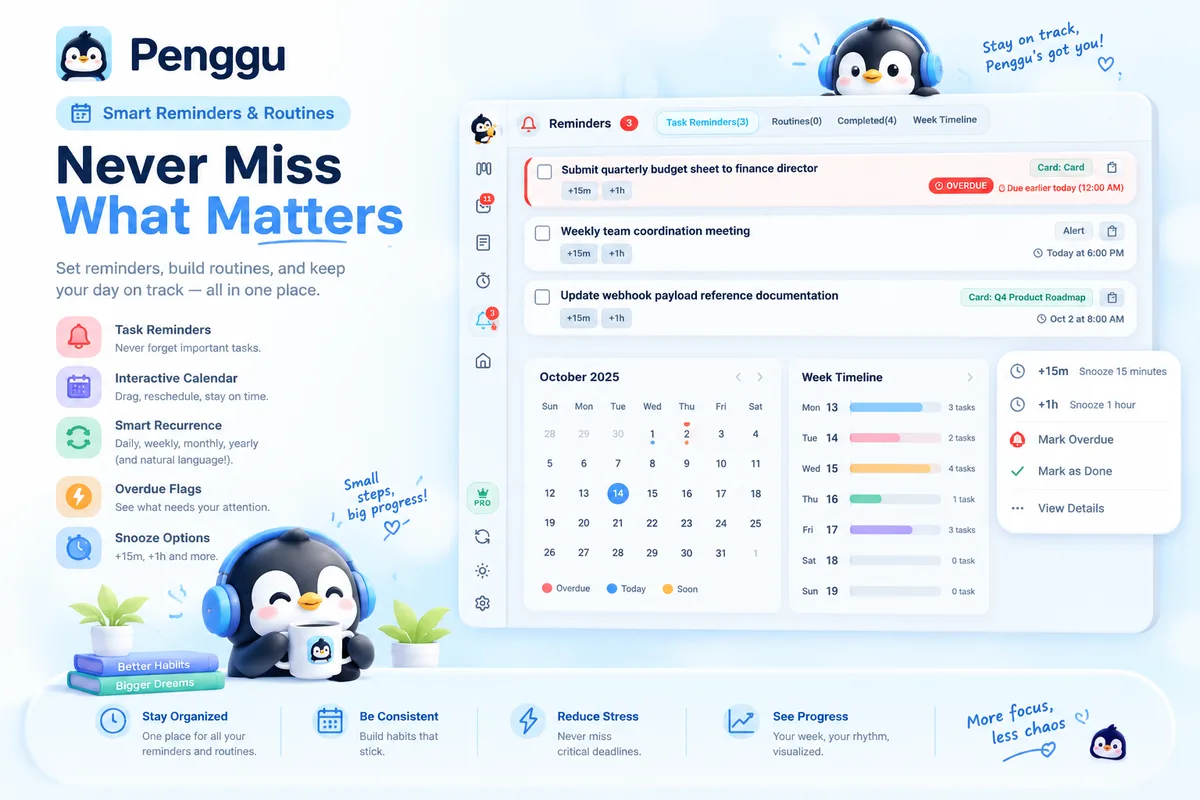
Penggu's Reminders view listing task reminders with snooze chips, source cards and an overdue badge
Reminders snooze, routine, repeat
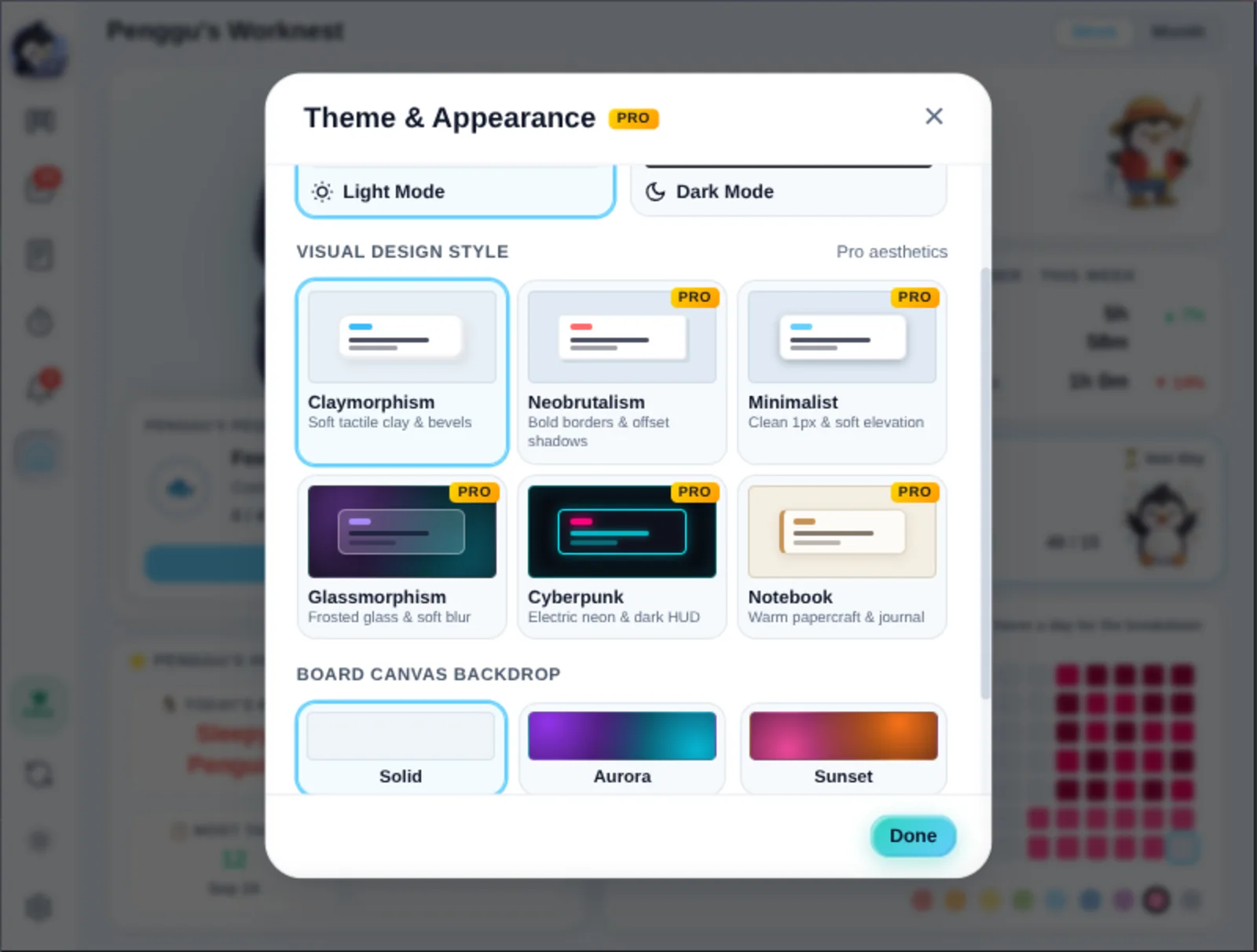
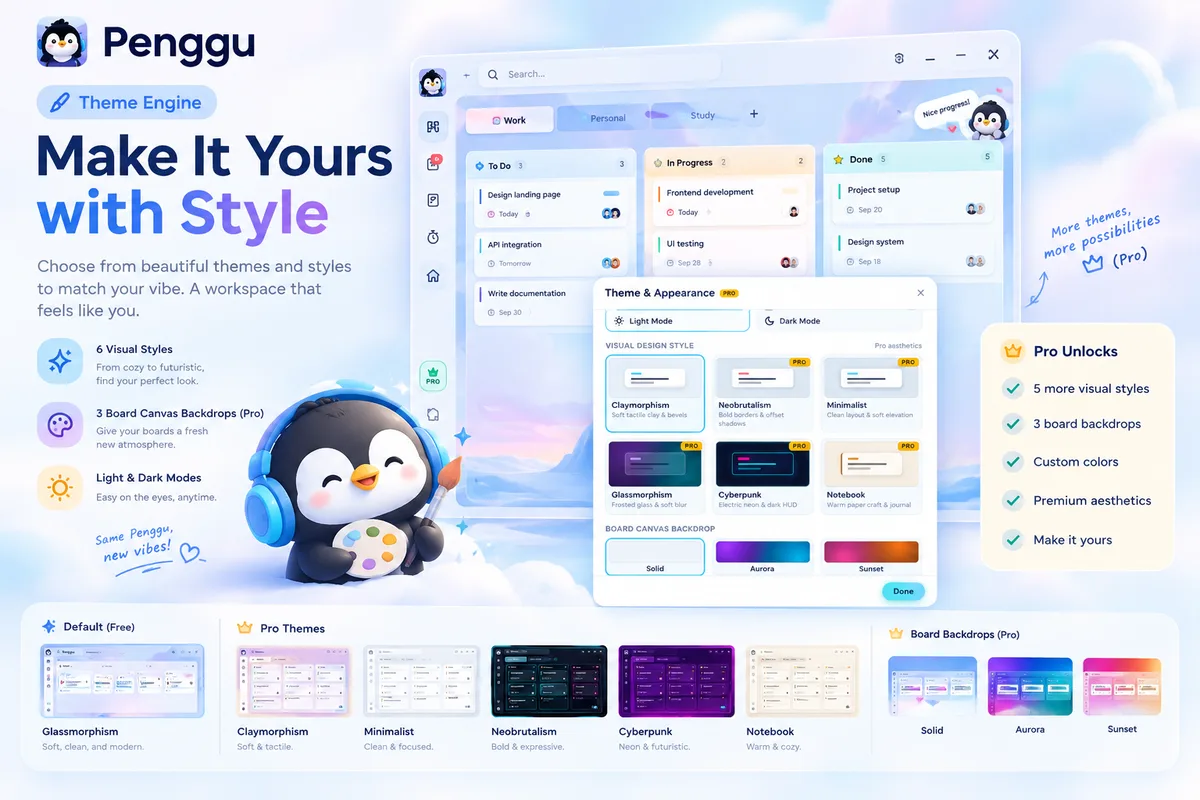
Penggu's Theme and Appearance settings with six visual styles and board canvas backdrops
Themes six visual styles

Real screenshots from Penggu v2.0.0 (sample board data) · hover to pause. Your own boards, columns, labels and colors look exactly like this.

Penggu, up close

One tile per superpower — drift by in the opposite direction, hover to pause.
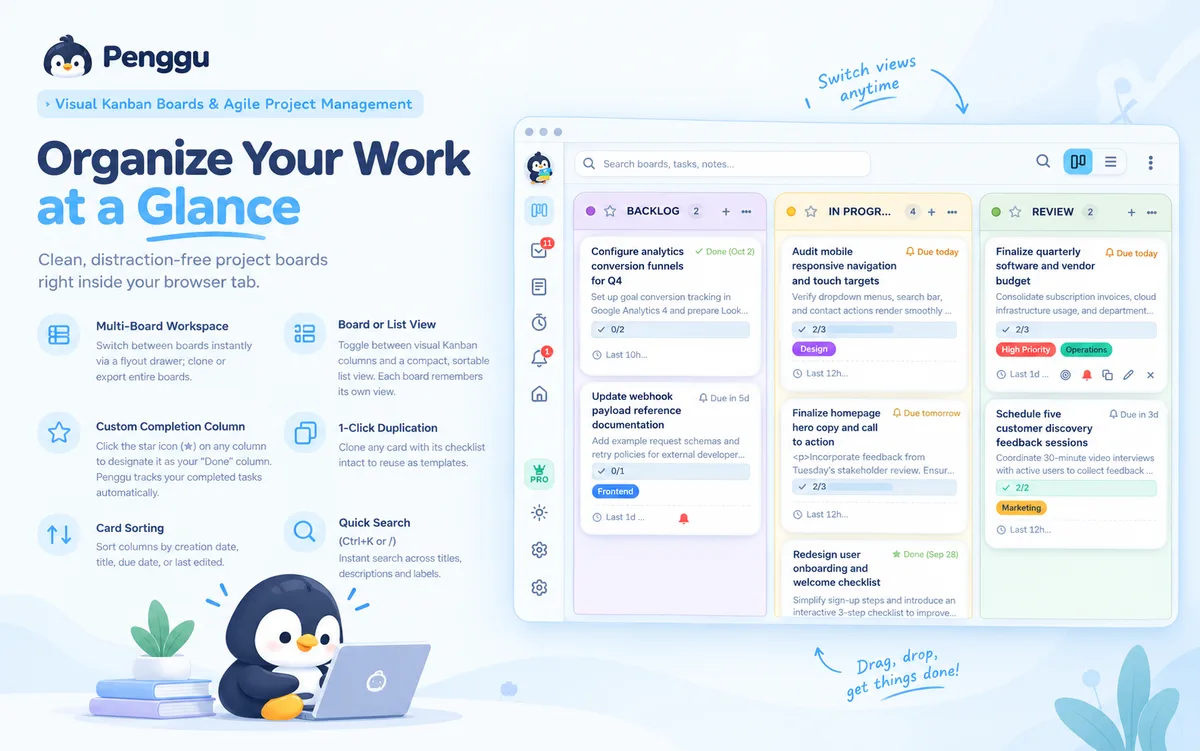
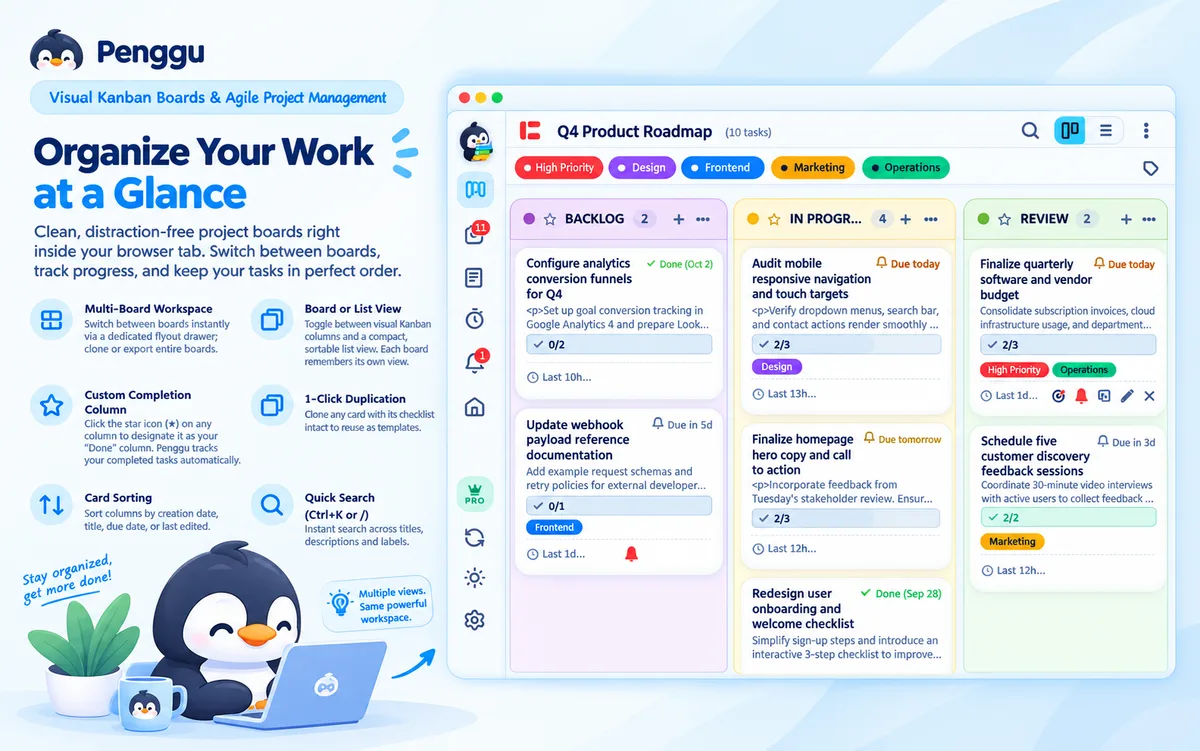
Organize your work at a glance — kanban board features tile
Penggu kanban board view tile
Kanban board features tile
Quick Tasks tile
Rich-text Notes tile
Web Clipper tile
Focus and Pomodoro timer tile
Floating companion timer tile
Reminders and routines tile
Penggu's Worknest progress tile
Themes and appearance tile
Sync and backup tile
Extra features tile
The workflow

Three steps, one workspace

Everything Penggu does follows the same loop — no switching apps, no leaving the page you're already on.

Capture

Clip text from any webpage into Quick Tasks or your Scratchpad.

Organize

Turn captured ideas into boards, cards, labels, and subtasks.

Focus

Start the floating timer and keep working while you browse.

Features

Everything your workday needs, in one tab

Penggu is a personal workbench — not a corporate project-management system.

Capture

Turn anything you find on the web into something actionable.

  • Clip selected webpage text into Quick Tasks
  • Add web content to your active board
  • Append text to your Scratchpad
  • Right-click actions & keyboard shortcuts

Organize

Turn captured ideas into actual work.

  • Kanban boards & columns
  • Task cards & labels
  • Subtasks & checklists
  • Quick Tasks inbox
  • Recurring routines
  • Reminders & calendar
  • Worknest streaks & weekly missions

Focus

Start focusing and keep working. The timer stays with you while you browse.

  • Floating Pomodoro timer
  • Custom focus durations with Pro
  • Timer stays with you across tabs

Local-first by default

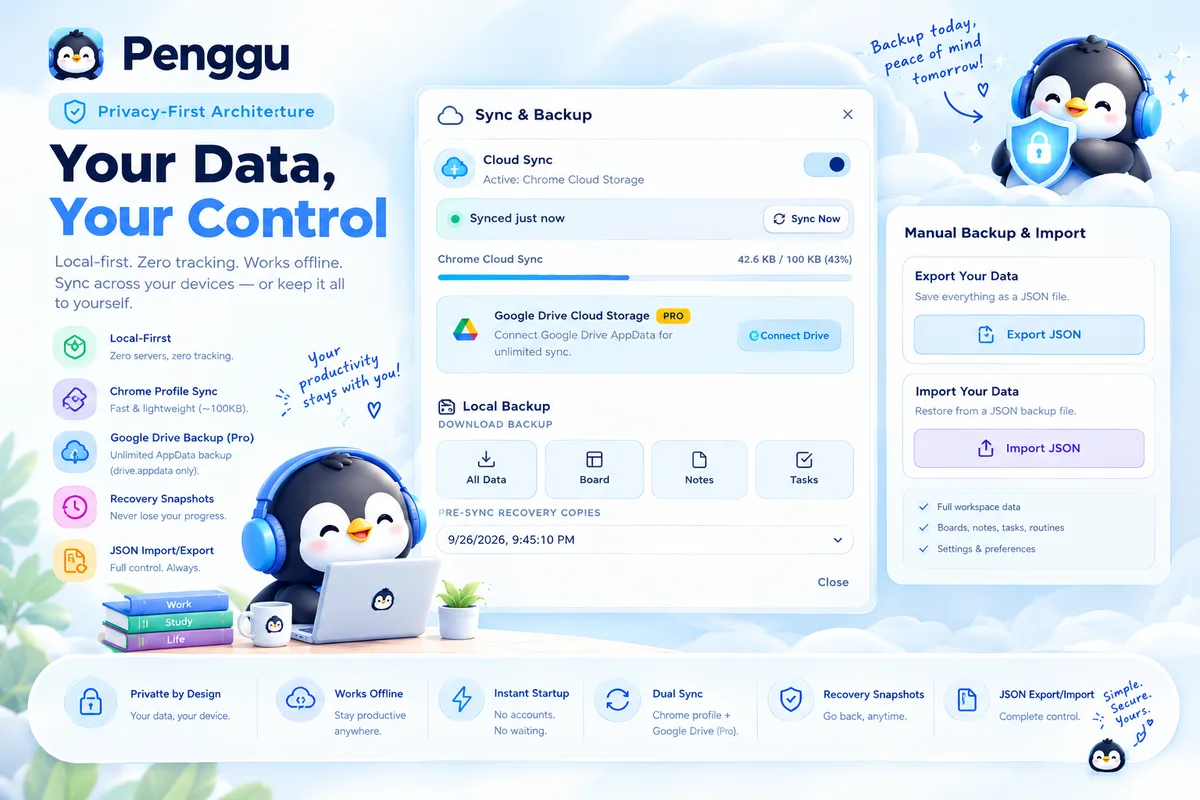
Your workspace stays local by default. Sync is optional.

  • No account required
  • No mandatory cloud
  • No tracking
  • Works offline
  • JSON export/import
  • Optional Chrome Sync / private Drive AppData sync

Notes

A rich-text home for meeting notes, briefs and half-formed ideas.

  • Rich-text editor with headings, lists & links
  • Multiple tabbed notes, always one click away
  • Clip any webpage selection straight into a note
  • Attach notes to boards and task cards

Themes

Make the workspace yours — six visual styles, light or dark.

  • Claymorphism, Neobrutalism, Minimalist
  • Glassmorphism, Cyberpunk & Notebook (Pro)
  • Aurora & Sunset board backdrops (Pro)
  • Column colors, labels & per-board vibe
Penggu's Worknest

A nest that keeps score — kindly.

Every card you move, every timer you finish, feeds Penggu's Worknest: a small dashboard that remembers what you got done, so a busy week never feels like a blank one.

  • Today's Catch — tasks, quick wins and focus minutes, tallied live.
  • Streaks & missions — weekly goals, at-risk warnings, and a 36-day fire worth protecting.
  • Activity heatmap — eighteen weeks of momentum in one glance.
  • Penggu's requests — feed him four completed tasks and the penguin celebrates with you.
Penggu's Worknest showing Today's Catch, weekly task and timer stats, a completed mission, Penggu's highlights and the activity heatmap
Penggu relaxing on the beach once you've caught enough tasks
For freelancers & VAs

Built for the way freelancers actually work

Penggu is a personal workspace — sized for one person juggling several clients, not a whole company.

A board per client. Keep every client's columns, cards, and labels separate — and out of your head.

Client notes live in the Scratchpad, right beside the board — no second app for meeting notes.

Clip a client's brief straight from their webpage into Quick Tasks — while you're still reading it.

A focus block per client, with a floating timer that keeps counting across every tab you open.

Meet Penggu.

A small penguin for a big pile of work.

I built Penggu because I got tired of switching between my task manager, notes, timer, and browser tabs just to get through a workday. And yes, the penguin is intentional — I'm a Linux user. — Founder, Penggu (formerly Task Stack)
Penggu, the mascot, holding a stack of task cards
FAQ

Questions, answered plainly

Do I need an account?
No. Penggu is local-first by default; sync is optional.
Is my data stored in the cloud?
No. It stays in your browser unless you turn on optional sync.
Does it work offline?
Yes.
Can I export my data?
Yes, JSON export/import anytime.
What is the Worknest?
Penggu's built-in dashboard: Today's Catch, streaks, weekly missions and an 18-week activity heatmap — it keeps score of your work kindly, and sends Penggu to the beach when you catch enough.
What does Pro unlock?
Higher limits, premium themes (Neobrutalism, Glass, Cyberpunk, Notebook), Aurora & Sunset backdrops, custom focus durations, automatic Google Drive sync, and future Pro features.
Where can I read the privacy policy?
Right here: Penggu Privacy Policy. Short version — local-first, no accounts, no analytics, no tracking; sync and license checks are the only opt-in network features.

Your work is already in the browser.

Keep your tasks, notes, web captures, reminders, and focus tools close by — without constantly switching apps. Free to start; plans live inside the extension.

Add to Chrome — Free